A little space for what matters
Five tasks.
Clear focus.
Your day deserves a little breathing room. Turn a long list into five clear priorities, and give the important things your attention.
iOS 17 or later · English & Russian
Less in view. More room to think.
Make a little list.
Make a meaningful day.
Choose what matters
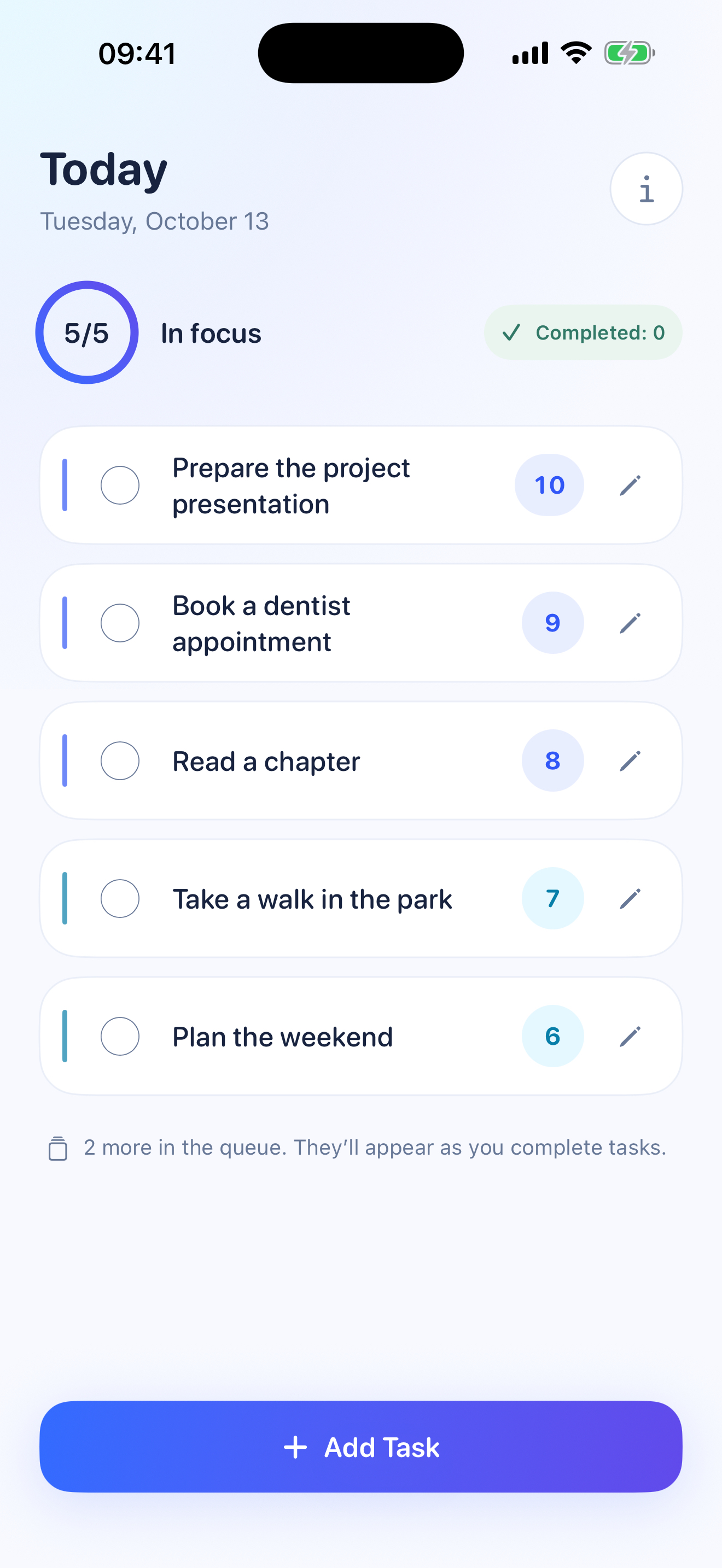
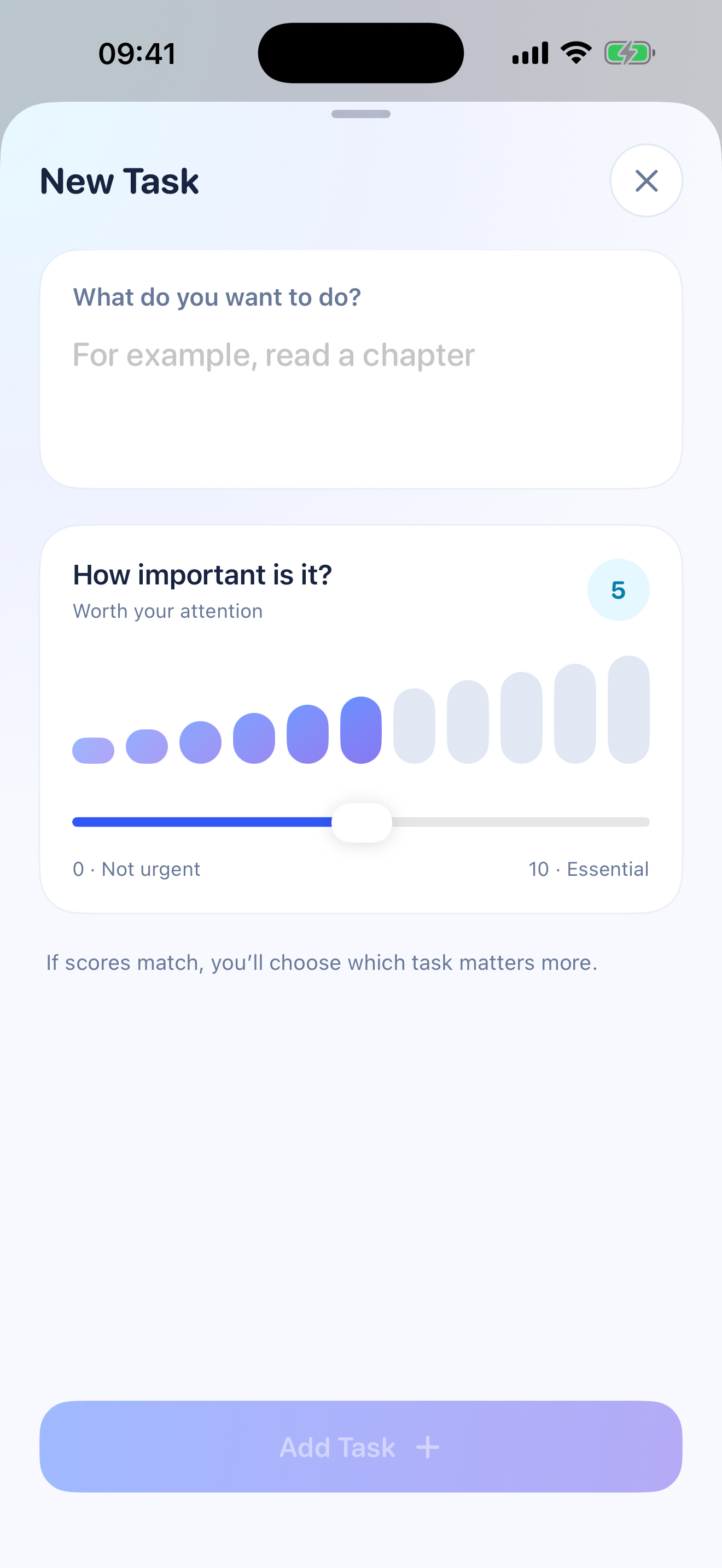
Add a task and rate its importance from 0 to 10. If two priorities match, a simple comparison helps you decide what comes first.
Keep five in focus
Your five highest priorities stay in view. The rest wait in a quiet queue. An unfinished task carries over to the next day.
Continue on your terms
Finishing a task makes your list shorter. When the batch is done, you decide whether to take on the next five.
A small habit, thoughtfully made
You set
the priorities.
Some tasks matter more than others. Five Focus helps you put them in order, without turning your day into a dashboard.
A little room to change your mindEdit a task’s title or importance. Undo an accidental completion within six seconds.
A glance is enoughKeep your top three tasks close with the Home Screen widget.
A fresh startCompleted tasks are cleared after the day ends, the next time the app is active. Unfinished tasks stay.
Your tasks. Your device.
Space to focus.
Privacy built in.
No sign-up, advertising, or analytics SDKs in the app. Your tasks stay in local app storage, shared only with the Five Focus widget on your device.
Read our privacy policy ↗A little help
Let’s keep
things simple.
For help, bug reports, or accessibility feedback, email:
Created by: Oleg Kozyrev
Please include your iPhone model, iOS version, app version, and a brief description. Avoid sending private task contents unless needed to explain the issue.
Do I need an account or internet access?
No. Task planning and the widget work with local data on your iPhone. You need internet access to download the app, visit this website, or send a support email.
What happens when I finish my five tasks?
Tasks in the queue do not replace completed tasks automatically. Once your batch is complete, you can choose to unlock up to five more.
Does Five Focus sync between devices?
The current version stores tasks locally and does not provide cloud sync. Device backups, if enabled in iOS, are managed separately by Apple.
How can I remove my data?
Completed tasks are removed after the local day ends when the app next performs cleanup. To remove the app’s local data, delete the app and remove its widget. Offloading the app preserves data; device backups are managed separately in your Apple settings.